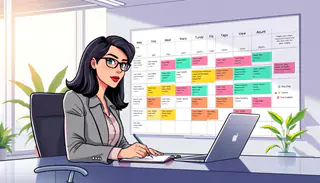
Asynchronous Team Communication: How to Reduce Interruptions at Work

A designer switches from a complex layout to answer a nonurgent ping. Before returning, two more messages arrive, each asking for a quick update. The interruptions break focused work into smaller pieces and make it harder to hold the task in mind.
That pattern can affect anyone, especially people on distributed teams who do not share the same workday. Asynchronous team communication can help by making routine requests easier to answer without demanding an instant reply. Clear expectations also help prevent a delayed response from being mistaken for disengagement.
Less interruption does not mean less teamwork. People still need ways to ask for help, share decisions, and act on urgent problems. Reducing workplace interruptions takes shared working habits, not silence. The first change is to agree when a message can wait.
How Does Asynchronous Team Communication Reduce Interruptions?
Interruptions fall when routine requests no longer demand an immediate reply. Asynchronous work lets people contribute without being present at the same time, so suitable tasks can move forward without a live exchange.
A response window is the agreed period in which a message should receive a reply. When a task has enough context and a clear reply time, people can work on it without waiting together.
Replace instant pings with durable updates
A written update gives a colleague the details needed to respond later. It can state what needs a decision, why the decision matters, and when it is due.
For example, an approval request may interrupt a teammate halfway through a report. If the requester records the draft, the choice needed, and the deadline, the teammate can review it after finishing focused work.
That written update also gives the team a record of the request. People can return to the details instead of searching through old messages or asking the same question again.
Reserve live contact for urgent blockers
Asynchronous work does not eliminate live conversations. A safety issue, service outage, or other incident that needs immediate coordinated action calls for a live urgent escalation route.
The urgent route should make clear how someone can reach the people who must act. Routine questions should not use that route, since frequent false alarms can hide a real incident.
For other tasks, a durable update and a defined reply time often give colleagues enough room to respond with care. That leaves a practical decision for the team: what counts as a reasonable response expectation?
What Response Expectations Should a Team Set?
A request can sit untouched when nobody knows who owns it or when a reply is due. Clear response expectations name an owner, a useful reply window, and a separate urgent escalation route.
There is no single response window that suits every team. The right expectation depends on urgency, work dependencies, and operating hours.
A team agreement can cover five points:
- Set response windows for routine requests, based on how soon the work needs to move.
- Name the urgent escalation route and the situations that call for it.
- State what colleagues can expect outside scheduled working hours.
- Assign a named owner to each request, so someone is accountable for the next step.
- Explain how to flag a deadline, including the date and reason it matters.
A single blanket reply expectation can create pressure for simple questions and leave urgent needs unclear. A request with a blocked deadline may need a faster reply than a routine update.
Teams should not assume that people will monitor messages outside scheduled working hours. If coverage matters, the agreement should name who is on duty and how others can reach that person.
These expectations work best when they fit the task. Once the team agrees on timing and ownership, it can choose the channel that makes each kind of work clear.
Which Channel Fits Each Kind of Work?
A teammate can use chat for a quick back-and-forth, then use email when the decision needs a durable record. The channel should fit the work, not simply the sender’s habit.
Email, team chat, project management tools, shared documents, and live calls each support different needs. Their interruption tendencies are practical patterns, not guarantees; team habits can change how often each channel distracts people.
| Channel | Best fit | Interruption tendency | Use it when |
|---|---|---|---|
| Messages needing a durable record | Low | A decision or request needs a lasting trail | |
| Team chat | Brief exchanges | High | A quick reply can settle a small question |
| Project board | Tasks and progress updates | Low | Owners, status, and deadlines need one place |
| Shared document | Work that needs edits or context | Low | Several people need to add details over time |
| Live call | Immediate back-and-forth | High | People must coordinate in real time |
A project board or shared document can keep an update beside the work it describes. That makes the project record easier to find than a decision buried in a long chat thread.
A common mistake is using team chat as the default inbox for every kind of work. A ping may seem easy, yet it can scatter decisions and context across many conversations.
Teams can reserve live calls for work that truly needs immediate back-and-forth. The next step is to build habits and handoffs that make these channel choices consistent.
How Can a Team Put Async Habits Into Practice?
A small team can change one recurring live check-in into a written handoff. Starting with one familiar task lets people test team norms without changing every work habit at once.
The team can agree on which updates belong in writing and what details each update needs. For a weekly status note, that may mean listing completed work, open questions, and the next due date.
Set team norms for recurring work
Useful team norms make routine updates easy to follow. They can name the place for an update, its owner, and how often it should appear.
People should not need to guess whether a task is waiting on them. A short update can say what changed, what needs attention, and who will act next.
Teams can check whether the new habits reduce friction by looking for patterns in the workflow:
- Repeat pings that ask for the same update
- Stalled dependencies that wait on missing information
- Missed urgent escalations that delay needed action
- Duplicated status requests across channels
These signs point to gaps in the process, not a reason to rank people by message volume. A high number of messages may reflect a busy task, unclear ownership, or a channel that invites constant replies.
Protect handoffs across schedules
Clear handoffs identify an owner, current status, next action, and deadline. Those details help a colleague pick up work without asking the previous owner to repeat the full story.
Gaps in working hours can leave a request waiting unless ownership and coverage are clear. Teams that span schedules should name who can take the next step and when that person is expected to act.
If a team has coverage gaps, it needs a clearly owned urgent escalation route. It should not assume that someone will see a message outside scheduled hours.
Teams can review the change after people have used it in real work. If the written update leaves key questions open, they can adjust its format or ownership before trying another task.
A focused first trial gives the team a clear way to learn. It can pick one recurring interruption, agree on a written handoff, and use that small test to guide its next move.
Conclusion
Fewer interruptions depend on clear shared expectations, not simply on sending fewer messages. Routine work can often wait for a clear written reply, while urgent issues need an explicit route for fast action.
Teams do not need to shift every interaction to asynchronous work. Immediate coordination still matters when people must act together in real time.
The next step is to choose one recurring interruption and agree on its channel and response window. The team can try that change, see how it affects the work, and decide what to adjust before expanding it.