
Subscription Renewal Tracking: How to Avoid Unwanted Charges
A service that renews quietly can remain on an account long after its usefulness has ended. Automatic charges can be easy to miss, especially when they arrive months apart or appear under an unfamiliar name. Even a small charge can matter when it repeats over time.
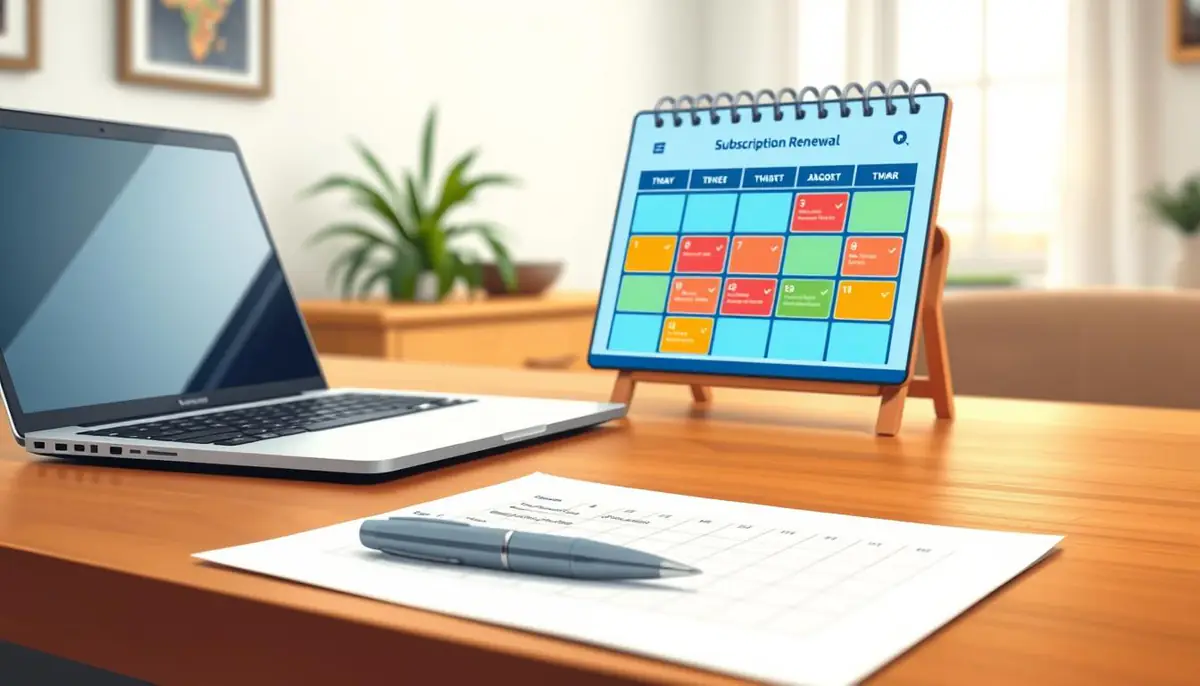
A renewal log makes upcoming costs and account decisions easier to see before money leaves the account. A renewal log is a calendar or list of recurring plans, their next billing dates, amounts, and cancellation notes. The account holder can use it to see which charges deserve a closer look and which services still fit the budget.
Keeping account activity visible also helps prevent a forgotten plan from blending into ordinary spending. The goal is not to cancel every service, but to make each renewal a choice. A charge that seems minor today can add up when it keeps returning.
The first step is finding every recurring plan tied to the account holder’s payment and platform accounts.
Where Can Account Holders Find Existing Recurring Plans?
A reliable inventory starts with bank and credit card statements, then checks the messages and platforms that explain each charge. Account holders should review more than one record, since a merchant name may differ from the service name.
Match Bank and Card Records
Scan several recent statements for repeating amounts or charges with a similar merchant descriptor. Transaction dates, amounts, and merchant descriptors can reveal a pattern, even when the label looks unfamiliar.
Some companies use a billing name that differs from their public service name. An unfamiliar descriptor is not proof of fraud; first compare it with receipts and account records. Note the date, amount, and exact descriptor for each likely plan.
Search Inboxes and Platform Accounts
Search email for email receipts, trial notices, and renewal messages. Terms such as “receipt,” “trial,” and “renewal” can help narrow the search. Check old messages too, since a plan may still renew long after its first signup.
Review app-store accounts for plans billed through that platform. A subscription handled by a third-party billing provider may only appear in that provider’s account records, not the service’s own billing page.
Household members may also share a payment method or platform account. Ask which plans use the shared card, then add only those linked to the account holder’s payment arrangements. This can prevent duplicate entries for one shared plan.
Once the account holder has an inventory, the next task is to make each renewal date visible before it arrives.
How Does Subscription Renewal Tracking Reveal Upcoming Charges?
A renewal is easier to manage when its date and cancellation route sit beside the service name in one record. A complete renewal log lists each plan’s amount, billing frequency, next renewal date, payment method, and cancellation route.
Those details help the account holder connect a future charge with the right account and billing channel. Billing frequency and cancellation deadlines vary by plan, so one monthly reminder may not suit every service.
Record the Details That Identify Each Renewal
The service name should match the label shown in the account or receipt. Record the amount and whether billing happens monthly, yearly, or on another cycle. Add the next date and the route for managing or ending the plan.
A paper or digital calendar works for a short list. A spreadsheet can hold more details, while a subscription management app may group plans and send alerts. Each choice needs updates when a plan or payment method changes.
| Tool | What to record | Reminder options | Main limitation |
|---|---|---|---|
| Calendar | Service, amount, cycle, next date, route | Event alerts before renewal | Manual entries and updates |
| Spreadsheet | One row per plan and its billing details | Calendar alert linked to a date | Alerts need separate setup |
| Subscription management app | Plan details and payment channel | App alerts, when offered | Features vary by app |
Set Reminders Before the Billing Date
Set calendar reminders early enough to review the plan and act before its cancellation deadline. A free trial may become a paid plan under its disclosed terms if the account holder does not cancel in time.
Some plans require more lead time than others. The reminder should leave enough time to read the terms and follow the listed route. With dates visible, the account holder can decide which plans still deserve a place in the budget.
How Should Account Holders Decide Which Plans to Keep?
A renewal date is a decision point, not a reason to cancel automatically. The account holder can weigh recent use, overlap with other plans, needed features, and the next renewal cost.
Recent plan usage can show whether a service still earns its place. A plan may be worth keeping even with occasional use if it serves a specific, important need, such as secure file storage for work.
Compare the service with other plans already in the household. Two plans may offer the same music, video, storage, or fitness features. A lower tier may also fit better if the account holder rarely uses the extra features.
Before the next billing date, the account holder can ask:
- Has anyone used the plan recently?
- Does another plan already provide the same service?
- Are the current features needed?
- Would the account holder pay this amount again?
These questions turn a list of costs into a clear choice. For plans the account holder chooses to drop, the cancellation route depends on how the subscription was purchased.
What Is the Safest Way to Cancel a Subscription?
The account holder should begin cancellation in the same billing channel that handles the subscription. Deleting an app or account does not necessarily stop its billing.
A plan bought directly from a service is generally canceled through that provider’s account or support process. A plan billed through an app store or another intermediary generally needs to be canceled there instead.
| Billing route | Where cancellation starts | Confirmation to save | Common issue to check |
|---|---|---|---|
| Direct provider | Provider account or support | Status page or message | Correct account and plan |
| App-store billing | App-store subscription settings | Updated plan status | Right store account |
| Third-party billing provider | Provider’s account or support | Receipt or cancellation message | Billing account matches plan |
After the request, check the account’s status or save the confirmation message. Keep the date and any reference number with the plan’s entry in the renewal log.
Stopping a future renewal does not always refund a payment already processed. Access may continue through the paid period, depending on the provider. The account holder should check the stated end date rather than assume access stops at once.
Saving proof makes it easier to check what happened later. The account holder should verify that the status changed and watch for any charge that does not match the expected timing.
What Should They Do If a Charge Appears After Cancellation?
First, check whether the transaction is still pending or has posted to the account. A pending card authorization is not the same as a posted charge, and its amount may change or disappear.
Compare a posted charge with the cancellation confirmation and the plan’s renewal terms. Check whether the charge date came before the cancellation took effect. A payment processed before that point may not be refunded automatically.
If the timing still seems wrong, contact the provider with the account details and confirmation. Include the charge date, amount, payment method, and any saved request number. Keep the message and reply with the renewal log.
If a posted charge remains unresolved, the account holder can contact the card issuer or bank to ask about available next steps. The issuer or bank can explain which options apply to that account and transaction.
Once the issue is resolved, a short recurring review can help prevent the same surprise from happening again.
How Can Account Holders Prevent Renewal Surprises Next Month?
A brief review on a regular day each month can catch new charges before they become part of the background. A four-step check keeps the renewal log current and highlights upcoming charges.
- Scan recent transactions for new recurring charges.
- Check the renewal log for the next month.
- Review free trials and plans nearing a renewal decision.
- Update the log after any plan, amount, payment method, or billing-channel change.
A calendar reminder for the review itself can keep this task from slipping. The account holder can choose a day that already includes a money check, such as the day bills are reviewed.
One monthly routine is enough to catch changes before they fade from view. Today, the account holder can set a review reminder and add its first date to the calendar.
Conclusion
A clear record gives account holders time to make a choice before the next renewal. Keeping renewal dates and cancellation notes together makes each decision easier, especially when several plans use different billing channels.
The first step can take only one account record: review the latest bank or card statement and enter any recurring charge in a renewal log. The account holder can start by checking that statement and recording the first recurring plan.